
Set Up Your First Security Camera Feed
Gather Your Materials
You'll need a View Finder (camera), a regular  Cassette tape, an Echo Shard, a
 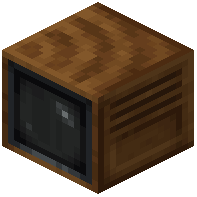 Television block, and a redstone power source like a lever or repeater.
Link Camera to Cassette
1. Craft a  Hollow Cassette by combining a regular Cassette tape with an Echo Shard
2. Place your View Finder in the location you want to monitor
3. Use the Hollow Cassette on the View Finder to establish the connection
Set Up the Display
1. Place a Television block in your base where you want to watch the feed
2. Insert the linked Hollow Cassette into the Television block
3. Connect redstone power to the Television (use a lever, button, or redstone line)
4. The live camera feed should now display on your screen
Control Your View
Stand in front of the camera and use your mouse scroll wheel to zoom in and out. You can see distant details clearly by scrolling to zoom. Sneak and click on the Television block to pause the feed whenever you need to examine a specific moment.