
Create a Large Multi-Block Television Screen
Understanding Screen Assembly
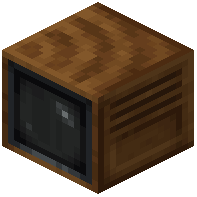 Television blocks can be connected together to form larger displays. The mod supports building screens of any square size—2×2, 3×3, 4×4, and larger configurations all work.
Building Your Screen
1. Place Television blocks adjacent to each other in a square or rectangular grid pattern
2. All blocks in the grid must be touching (horizontally or vertically connected)
3. Insert a  Hollow Cassette into any one of the Television blocks in the group
4. Apply redstone power to activate the entire screen at once
Tips for Large Displays
Make sure all Television blocks are aligned properly before powering them. The feed will stretch across all connected blocks, creating one unified image. Larger screens are more impressive but require more materials and redstone power. You can mix and match different tape animations across multiple screens by using separate Hollow Cassettes linked to different cameras.