
Automate Tape Swapping with Redstone
How Redstone Integration Works
The Vista Mod's 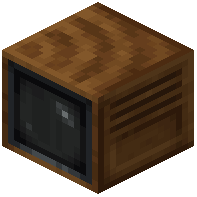 Television blocks work with standard redstone components like hoppers and droppers. This lets you automatically swap between different
  Cassette tapes using redstone signals.
Set Up Automatic Tape Rotation
1. Place a hopper or dropper above your Television block
2. Fill the hopper with different Cassette tapes
3. Connect the hopper to a redstone clock or timer
4. The hopper will automatically feed new tapes into the Television at set intervals
Control Camera Distance with Redstone Strength
The View Finder's viewing distance changes based on redstone signal strength. Stronger signals increase how far you can see:
1. Connect a redstone repeater to your View Finder
2. Adjust the repeater's delay to control signal strength
3. Experiment with different signal levels to find your ideal viewing range
Combine Both Systems
You can create sophisticated monitoring stations by linking tape automation with distance control, allowing your surveillance system to switch between different camera angles and zoom levels automatically.