
Vibrant Pbr Resource Pack Wiki › Guides › Maximize Texture Detail and Realism in Your Build
Maximize Texture Detail and Realism in Your Build
Position Lighting Strategically
The pack's high-resolution textures and parallax mapping shine when light interacts with surfaces at angles. Place torches, lanterns, and light sources to graze across walls and floors rather than lighting from directly above. This reveals the texture depth and 3D surface detail.
Choose Blocks Deliberately
Different blocks showcase different effects:
- Metal and ore blocks – Display strong reflections and porosity changes
- Wood and leaves – Benefit from sub-surface scattering, allowing light to glow through them
 Stone and
 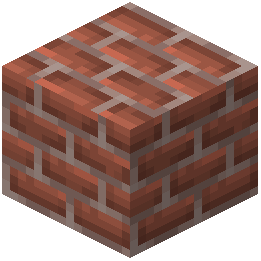 bricks – Show off parallax mapping and ambient occlusion in corners
- Water and wet surfaces – Become highly reflective and realistic
Combine with 3D Models
The pack includes some blocks with actual 3D geometry instead of flat textures. Use these as focal points in your builds—they create more visual interest than standard blocks.
Test in Different Lighting
Visit your build at different times of day and in various weather conditions. The shader's dynamic lighting will make textures look different under sunlight, moonlight, and artificial light, helping you appreciate the full range of detail.