
Utilitarian Wiki › Guides › How to Build Floating Structures with the Angel Block
How to Build Floating Structures with the Angel Block
The 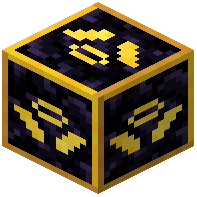 Angel Block lets you place blocks in mid-air without a supporting block underneath, which makes it the go-to tool for sky bases, floating farms, and bridging across gaps.
Placing and Using It
Hold the Angel Block and right-click against any face of an existing block near where you want your new block to appear. The Angel Block itself is consumed and the block you were aiming at gets placed in the air at the target position. This means you need a stack of Angel Blocks if you plan to build a large platform, since each one is used up per placement.
Practical Tips
- Start from a solid anchor block (a pillar, a wall, or the edge of an existing platform) and work outward.
- Because each placement consumes one Angel Block, bring plenty. Crafting them in bulk before a big build saves trips back to base.
- Use them to reach across ravines, over lava, or up into the sky where scaffolding would be tedious.
- Combine with the
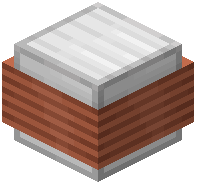 Magnet if you want to pull dropped items or entities toward your new platform.
Once your first block is floating, you can place normally against it, so the Angel Block is really only needed for the very first block of each new section.