
Uncraft Everything Wiki › Guides › Use the Auto Uncrafting Table for Bulk Processing
Use the Auto Uncrafting Table for Bulk Processing
What Is Auto Uncrafting?
The 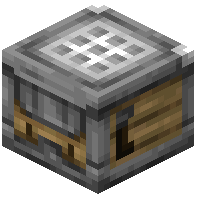 Auto Uncrafting Table automatically breaks down items without manual interaction, perfect for processing large quantities of unwanted crafted items.
Setup
1. Craft or obtain an Auto Uncrafting Table
2. Place it in your base near storage or a hopper system
3. Connect hoppers to the input side to feed items automatically
4. Attach hoppers or chests to the output side to collect materials
5. The table will process items as long as you have XP available
Automation Tips
- Use hoppers to create a pipeline from your storage to the auto table
- Sort unwanted items into a dedicated chest, then feed them in
- Attach a hopper below for automatic output collection
- Monitor your XP—the table stops when you run out
- Combine with mob grinders or experience farms to sustain XP supply
Best Uses
Auto uncrafting is ideal for processing duplicate items, clearing inventory space, or handling bulk crafting mistakes without manual labor.