
Tiny Pipes Wiki › Guides › Filter Items to Specific Storage Locations
Filter Items to Specific Storage Locations
Using Item Filter Pipes
Place an 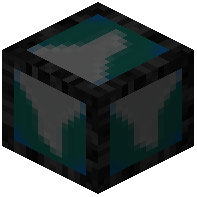 Item Filter Pipe at a junction or branch point in your network where you want to sort items. Right-click it with an empty hand to open the filter GUI.
Configuring Filters
In the GUI, you can switch between whitelist and blacklist modes:
- Whitelist: Only items you add to the list will pass through this
 pipe.
pipe. - Blacklist: All items except those you add will pass through.
Click items in your inventory or type to add them to the filter. Items matching the filter will exit through this pipe; others continue down alternate routes.
Strategic Placement
Place filter pipes immediately before storage chests or at network junctions. For example, direct all ores to one chest and all ingots to another by using separate filter pipes on different branches. You can chain multiple filter pipes to create complex sorting systems without losing items or causing lag.