
Getting Started with the Organic Matter Compressor
Basic Setup
The 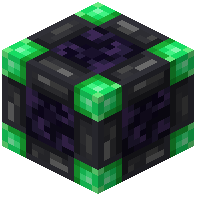 Organic Matter Compressor is the core block of this mod. To use it effectively, you must place it deep underground—ideally below Y-15—where sufficient pressure exists for the conversion process to work.
How to Convert Items
Once placed at the correct depth, access the compressor's GUI. The interface has three dedicated slots: one for organic matter, one for coal, and one for output. To create a coal block, place one organic matter item and one coal into their respective slots. The compressor will combine them into a single coal block, which appears in the output slot.
Tips
Remember that depth is critical for this mod to function. If your compressor isn't working, verify it's positioned below Y-15. This pressure-based mechanic is what makes coal block production possible.