
Transfer Items Between Dimensions
Set Up Tesseracts in Both Dimensions
Tesseracts work across dimensions, making them ideal for moving items between the Overworld, Nether, and End without traveling back and forth.
Step 1: Craft and place a 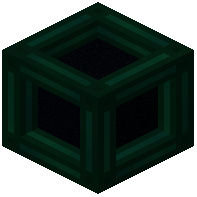 Tesseract in your starting dimension (e.g., Overworld).
Step 2: Craft and place a second Tesseract in your destination dimension (e.g., Nether).
Step 3: Open the first Tesseract's GUI and select the Items category tab.
Step 4: Click Create and name your channel (e.g., "Nether Trade Route"). Set it to Unlocked if others should access it, or Locked for private use.
Step 5: Travel to the Nether and open the second Tesseract's GUI.
Step 6: Select Items, then find your channel in the list and click Activate.
Connect Inventories
Place hoppers, chests, or other inventory blocks adjacent to each Tesseract. Items will automatically transfer between linked Tesseracts on the same channel. Use filters or configure the Tesseract to accept only specific items if needed.