
Set Up a Radio Tower for Long-Distance Wireless Communication
Building the Tower Structure
Radio towers let you send wireless signals across much larger distances than standard modems. Build your tower vertically in this order:
1. Place a Radio Tower Base on solid ground (dirt, stone, etc.)
2. Stack Radio Tower Segments directly on top of the base—you can use multiple segments to increase height
3. Place a 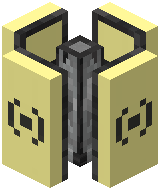 Radio Tower Antenna on top of the highest segment to complete the structure
The taller your tower, the greater your effective wireless range. Make sure each block sits flush on top of the previous one with no gaps.
Connecting and Using Your Tower
Once built, connect a computer or wireless modem to any part of the tower structure using a cable. The tower will now relay wireless messages across long distances—much farther than a standard wireless modem alone.
Remember: Radio towers still respect the mod's wireless distance limits. They're designed to balance long-range communication without making standard modems completely obsolete. Plan your tower placement strategically to cover the areas where you need communication most.