
Terminal Expansion Overdrive Wiki › Guides › Scan and Read Printed Paper Items
Scan and Read Printed Paper Items
Using the Paper 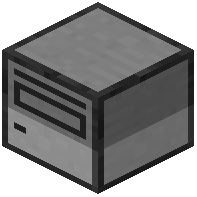 Scanner
The Paper Scanner peripheral can read printed paper items, including text and colors:
1. Place a Paper Scanner block and connect it to a computer
2. Insert or place a printed paper item near the scanner
3. Use Lua scripts to query the scanner and retrieve the paper's contents
4. The scanner returns both text and color information from the printed page
Practical Applications
Paper scanners are useful for:
- Automated documentation systems that digitize printed records
- Library management where you scan books and papers into a database
- Ticket or receipt readers for transaction logging
- Color-coded item sorting based on printed labels
Since the scanner preserves color data, you can use colored text on printed pages to encode additional information—for example, red text for urgent items or green for completed tasks. This makes paper scanners a bridge between Minecraft's physical item system and your computer network's digital data.