
Tacz Simple Enemy Wiki › Guides › Recruit and Command Your First Squad
Recruit and Command Your First Squad
Spawning Your First NPC
To begin building a squad, you need to spawn an NPC soldier. Use a spawn egg corresponding to your desired faction (Russian, American, or Allied), or craft a 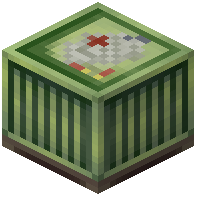 Recruit Table and interact with it to summon units.
Recruiting and Giving Orders
Once an NPC is spawned, right-click on them to recruit them into your squad. After recruitment, open the Commander Menu (the exact keybind depends on your config) to access squad controls.
From the Commander Menu, you can issue orders:
- Follow: The NPC will stay close to you
- Hold Position: The NPC remains stationary and defends the area
- Attack: Target and engage enemies
- Formations: Arrange your squad in tactical patterns
Managing Your Squad
Your squad operates with a leader (you) and member roles. Members follow your orders and coordinate with each other. You can recruit multiple NPCs to build a larger force. Access individual NPC inventories by Shift + Right-Clicking to equip them with better weapons and armor from your TaCZ arsenal.