
Set Up Your First Vending Machine Shop
Place and Configure Your Machine
Place a 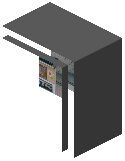 Vending Machine block in your desired location. Right-click it to open the configuration interface. You'll see inventory slots where you can assign items and set prices for each slot individually. Decide which currency (Dollar, Pound, or Yen) your shop will accept—this is set per machine, so you can run different currencies in different locations.
Stock and Activate
Insert the items you want to sell into the machine's inventory. Players will insert cash to purchase from specific slots you've priced. The machine automatically calculates and dispenses correct change in the same currency.
If you're running a creative world or server, enable Unlimited mode in the machine settings to allow infinite stock without restocking. For survival shops, you'll need to refill items manually as they sell.
Collect Revenue
Access your machine anytime to withdraw cash that customers have paid. The machine tracks all transactions, so you always know how much has been deposited.