
Manage Your Bank Account and Send Money to Other Players
Deposit and Withdraw Cash
Locate an ATM block and right-click it to open your personal bank account interface. Insert paper bills and coins directly into the machine to deposit them. Your balance updates instantly. Later, withdraw cash by selecting denominations—the ATM will dispense the exact combination you request.
Exchange and Split Currency
Use the ATM to convert between denominations. Combine loose coins into paper notes to free up inventory space, or break larger bills into smaller coins for precise transactions at shops.
Transfer Money to Other Players
Access the transfer option in the ATM menu and enter another player's name (they must be online). Specify the amount and confirm. The payment goes directly to their bank account—no need to meet in person or use a 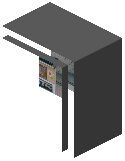 Vending Machine. This is useful for paying rent, loans, or wages on multiplayer servers.