
How to Use Soartex Fanver for Building and Screenshots
Soartex Fanver's smooth, clean style reads well in large builds and screenshots because textures stay legible at distance without heavy noise. A few habits get the most out of it.
Build With Contrast
Because the pack smooths shading, adjacent similar blocks can blend together. Pair light and dark variants deliberately — for example, mix a pale wood with a darker  stone — so walls and floors keep clear edges. Use the pack's clean planks and stone for large flat surfaces where default noise would look busy.
Set Up Screenshots
Pick a time of day with soft light, since smooth textures show gradients nicely. Frame shots so a few retextured focal blocks — an 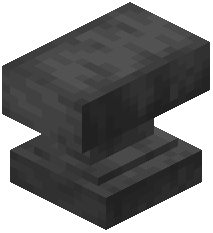 anvil, a
  beacon, a decorated plant — sit in the foreground. Toggle the pack off and on to confirm the shot actually benefits from it.
Keep Performance in Mind
Higher-resolution textures can cost some performance on weak machines. If framerate drops in big builds, lower your render distance or reduce other settings before blaming the pack. Test in the same area with the pack disabled to compare.