
How to Install and Activate the Soartex Fanver Resource Pack
Soartex Fanver is a resource pack, not a mod, so you activate it through the game's own resource pack menu rather than a mod loader. The pack retextures vanilla blocks, items, plants, and other elements with a smooth, clean look.
Placing the Pack
Download the pack file and drop it into your resource packs folder. You can reach this folder from the in-game resource pack screen by opening the folder button, or by navigating to the resourcepacks directory inside your Minecraft installation. Do not unzip the file — Minecraft reads the .zip directly.
Enabling It In-Game
Open Options, then Resource Packs. Your pack appears in the left column under Available. Click the  arrow to move it to Selected. If you run other packs, drag Soartex Fanver above any pack whose textures you want it to override. Press Done and let the game reload textures.
Verifying It Worked
Look at a common block like  stone or
 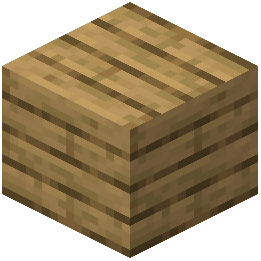 oak planks. If the texture is smooth and clean rather than the default pixel art, the pack is active. If nothing changed, confirm the file is in the correct folder and that it sits in the Selected column, not Available.