
How to Open a Grave and Get Your Items Back
Finding the Grave
When you die, Simple Tomb places a grave at your death location instead of scattering your items on the ground. The grave holds everything you were carrying. Head back to where you died — the grave is usually visible as a distinct block or marker at that spot. If you died far away or in the dark, bring torches and watch for hostile mobs along the way.
Opening It
Walk up to the grave and interact with it (right-click by default). In the standard setup, you do not need to craft or hold anything special — the grave opens and returns your stored items directly to your inventory. If your inventory is full, make space first, because leftover items may stay in the grave or drop on the ground.
If It Will Not Open
If right-clicking does nothing, the grave may be protected so only you can access it, or it may require the 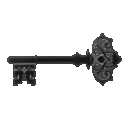 Grave Key. Check whether the mod is
  configured to hand you a key on death. If you have a Grave Key, hold it and interact with the grave. Also confirm you are the owner — graves are typically locked to the player who died, so another player cannot loot yours.
After Looting
Once emptied, the grave usually disappears on its own. If it lingers, break it. Re-equip your armor and tools immediately, since you are vulnerable right after a death run.