
Understand How Audio Quality Changes with Distance
Dynamic Audio Degradation
Simple  Radio Mod features realistic audio quality that decreases as you move farther from the signal source. This means voices sound clear and crisp when you're close to a
 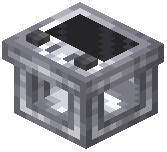 transmitter, but become increasingly muffled and distorted at greater distances.
Factors Affecting Quality
Distance is the primary factor—the farther you are from a  microphone block or handheld radio transmitter, the worse the audio quality becomes. Your transmission type also matters: FM maintains better quality over its shorter range, while AM can reach farther but starts degraded.
 Antenna Impact
Attaching an antenna to your radio blocks extends the range before quality significantly drops. Without an antenna, signal degradation happens quickly. With one, you can maintain acceptable audio quality over much greater distances.
Practical Implications
For important communications, position yourself closer to the microphone or transmitter. For casual long-distance chat, expect some audio loss. If quality becomes unacceptable, move closer to the signal source or add more antennas to your transmission setup.