
Simple Pocket Machines Wiki › Guides › Setting Up a Portable Storage Solution
Setting Up a Portable Storage Solution
Carry Extra Inventory Space
A 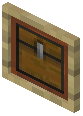 pocket chest gives you additional storage capacity while traveling, letting you gather more resources before returning to base.
Using Your Pocket Chest
1. Right-click while holding the pocket chest to open its storage interface
2. Place items inside just like a regular chest
3. Close the interface and the items remain stored in the pocket chest
4. Open it again anytime to retrieve or add items
Practical Uses
- Bring a pocket chest on mining expeditions to store extra ore and materials
- Use it during building projects to keep tools and blocks organized
- Carry it on long exploration trips to avoid dropping items when your inventory fills
- Combine with a
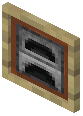 pocket furnace for a complete portable mining setup
Tips
- The pocket chest maintains its contents even if you die (depending on your game settings)
- You can carry multiple pocket chests if you need even more storage
- Unlike a regular chest, you don't need to place it on the ground—it's always accessible from your inventory