
How to Switch Between SCP-127's Firing Modes
Understanding the Two Modes
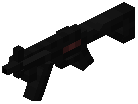 SCP-127 features two distinct firing modes: semi-automatic and full-automatic. Semi-automatic fires one shot per click, while full-automatic continuously fires while held. Switching between these modes allows you to adapt to different combat situations.
Changing Fire Mode
To switch firing modes, hold Shift and right-click while holding SCP-127. This toggles between semi-automatic and full-automatic firing. You can switch modes at any time, even mid-combat, so experiment to find which mode works best for your playstyle.
Combat Strategy
Use semi-automatic for precise, controlled shots against distant targets or when ammunition regeneration matters. Switch to full-automatic for close-quarters combat or when facing multiple enemies. Since the gun regenerates ammunition automatically, you can afford to use full-auto without worrying about running dry.