
Understanding the Visual Changes to Common Blocks
What's Different
Resprited Resource Pack simplifies the appearance of everyday blocks while keeping them instantly recognizable. 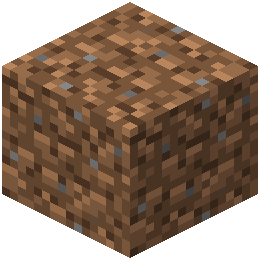 Dirt,
Dirt,  stone, wood, and ore blocks all receive cleaner textures with reduced visual noise, making your builds easier to read at a glance.
How to Spot the Changes
Load into a world and compare familiar blocks side-by-side with your memory of vanilla Minecraft. You'll notice:
- Reduced detail on block surfaces—fewer cracks, spots, and overlapping patterns
- Clearer color separation between similar blocks, reducing confusion when building
- Smoother gradients on textured blocks like stone and dirt
- Consistent shading that makes depth and dimension obvious without clutter
Tips for Building
The simplified aesthetic works best when you embrace contrast. Pair blocks with noticeably different colors and tones to create visual interest. The pack's cleaner look makes color-coordinated builds especially striking, since each block's hue stands out more clearly than in vanilla textures.
If a block looks unfamiliar, check its tooltip in your inventory—the simplified sprite should still match the block's name and function.