
Rotate Mosaic Patterns for Design Variety
Why Rotate Your Tiles
Many mosaic patterns look different depending on their orientation. Rotating tiles lets you create more complex designs and fill spaces that don't align with the default pattern direction.
How to Rotate
Hold an empty hand (no items) and shift-left-click on any placed 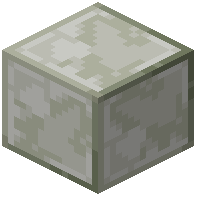 mosaic block. Each shift-left-click rotates the pattern. Continue clicking to cycle through all available rotations until you find the orientation you want.
Building Seamless Designs
Rotation is especially useful when creating murals or detailed floors. By mixing rotated and non-rotated versions of the same pattern, you can achieve symmetry and fill awkward gaps in your design. Experiment with different rotations before committing to your final layout.
Combining with Dyeing
You can rotate a tile before or after dyeing it—the color stays with the block regardless of rotation. This lets you plan your color scheme independently from your pattern orientations.