
Create and Customize Your First Chair
Crafting a Chair
Start by crafting a 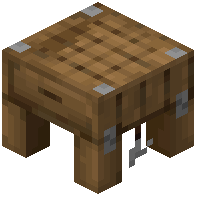 Carpentry Table using wooden planks and sticks (check your crafting menu for the exact recipe). Place it in your home and open its interface by right-clicking.
Inside the Carpentry Table menu, select the chair option. Choose your wood type from the available options—oak, spruce, birch, jungle, acacia, or dark oak. Confirm your selection and the chair will appear in your inventory.
Customizing the Chair Design
Once placed, you can modify your chair's appearance without crafting a new one. Hold an axe in your hand and right-click on the chair. This cycles through different back designs, letting you choose between styles like a simple backrest, a tall back, or decorative variations.
You can also rotate the chair by right-clicking it with an empty hand to face different directions. This is useful for arranging seating around tables or against walls. Experiment with different wood types and back styles to match your interior design.