
Red Bits Wiki › Guides › Create a Color-Coded Redstone Signal Display
Create a Color-Coded Redstone Signal Display
Using Color Redstone Lamps for Visual Feedback
Color Redstone Lamps change color based on the strength of the input signal they receive, making them perfect for creating visual displays without the lag of vanilla redstone lamps.
Setup Steps
1. Place your Color Redstone Lamps in a grid or pattern where you want your display
2. Connect a redstone signal source to each lamp—use comparators, redstone dust, or other signal emitters
3. Vary the signal strength feeding into each lamp by using repeaters at different delays or comparators reading from containers with different fill levels
4. Test your display by activating different signal strengths and observing the color changes
Tips for Effective Displays
- Use a
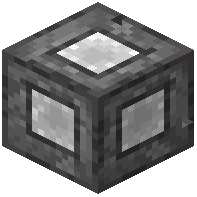 Redstone Emitter instead of cauldrons or composters to generate comparator signals more cleanly
 - Combine multiple lamps in sequence to create gradient effects or status indicators
- Since Color Redstone Lamps don't emit actual light, they're ideal for compact builds where you need visibility without lag
- Layer them behind glass or in transparent blocks for creative visual effects
This approach works well for power level indicators, progress bars, or aesthetic lighting systems in your base.