
Re Chiseled Wiki › Guides › How to Craft Slabs and Stairs From Chiseled Blocks
How to Craft Slabs and Stairs From Chiseled Blocks
Why Use the Slab and Stair Variants
Every chiseled pattern in Re Chiseled has a matching slab and stair form. These let you carry a decorative theme onto roofs, ledges, paths, and trim without breaking the pattern. For example, Acacia Plank Bricks can become 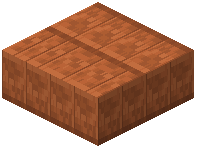 Acacia Plank Bricks Slab and
 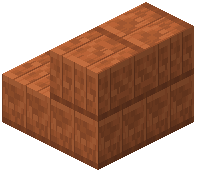 Acacia Plank Bricks Stairs, and the same applies to Andesite Bricks, Amethyst Tiles, and the rest.
Crafting Steps
1. Chisel your base block into the pattern you want.
2. Place the chiseled block in a crafting grid in the standard slab or stair arrangement.
3. Collect the resulting slab or stair block.
Because the recipe mirrors vanilla slab and stair shapes, you do not need to learn a new layout — just substitute the chiseled block for the vanilla ingredient.
Design Ideas
- Use slabs to create thin accent bands between full blocks of a different pattern.
- Stack stairs upside down to form cornices and crown molding along walls.
- Mix a Beams pattern with a Tiles pattern on the same build to add visual depth without changing color.