
Set Up Cases for Multiplayer Servers
Syncing Custom Crates Across Players
When playing on a multiplayer server, all custom crates you create in the 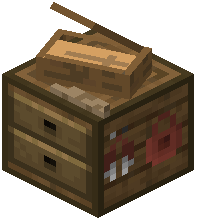 Casing Station automatically sync to other players. There's no manual configuration needed—changes propagate when you save them.
Ensuring Consistency
Make sure all players have the same mod version installed to avoid desync issues. Custom crate definitions are stored server-side and distributed to clients when they join.
Managing the Case Trader
The Case Trader villager works seamlessly in multiplayer. Set the defaultEmeraldCost in the config to control what price all players pay when trading for crates. This ensures fair economy across your server.
Admin Controls
Enable enableCasingStationGUI so admins can edit crates in-game without restarting. Disable disableStandardCrates if you want to remove default cases and use only custom ones you've created. All settings apply server-wide and affect every player's experience consistently.