
Create a Custom Loot Crate
Setting Up Your 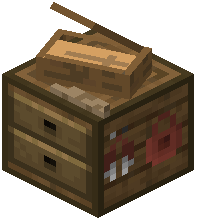 Casing Station
Locate or craft a Casing Station block and place it in your world. Open the block's menu to view all available crates. You'll see a list of default crate types like Armor, Weapon, and Food cases.
Building Your Custom Crate
Click the plus button to create a new custom case. Give it a name that describes its contents. Now you can add items from your inventory by clicking on them—they'll appear in the crate's item pool.
Adjusting Drop Rates
For each item you add, you can adjust how often it appears when someone opens your crate. Items with higher drop chance values will be pulled more frequently. You can also assign rarity levels (common, uncommon, rare, legendary) to control visual feedback when players hover over items.
Saving Your Changes
Once you've added all items and set their drop rates, save your configuration. Reload your world or restart the server so the new crate registers properly. Your custom crate will now spawn according to the mod's spawn settings and can be found or traded for like any standard case.