
Customize Your World's Appearance with Quadral Pack's Color Palette
Working with the Pack's Color Scheme
Quadral Pack uses a bright, cheerful color palette that makes greens more vibrant, blues clearer, and warm tones richer. When building or landscaping, consider how these enhanced colors interact.  Grass appears more lush, water looks clearer, and wooden blocks feel warmer. Use this to your advantage by choosing building materials that complement the pack's natural color enhancement.
Coordinating Building Materials
Select blocks that work well together within the pack's bright aesthetic. Warm wood tones pair beautifully with  stone, while cooler materials like dark wood or
 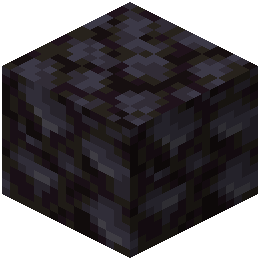 blackstone create contrast. The pack's simplified textures mean color harmony matters more than texture detail—focus on choosing blocks whose colors feel intentional together.
Landscaping for Maximum Impact
The pack's vibrant greens make natural terrain look stunning. Enhance this by creating varied landscapes: lush valleys, bright hillsides, and clear water features. Plant trees strategically—the pack's cherry blossoms and other foliage are eye-catching and add personality to your world.
Creating Atmosphere
Use the pack's color palette to establish mood. Bright greens and warm wood create welcoming areas, while stone and darker materials feel more serious or defensive. This helps visitors understand different zones in your world at a glance.