
Keeping Mobs Away from Your Base with the Expulsion Pylon
Setting Up the Expulsion Field
Place the  Expulsion Pylon where you want the protected zone centered, typically near the middle of your base or the area you want kept clear. The pylon projects an area of effect that pushes or prevents mobs from entering. Confirm the radius in its interface so you know exactly how far the protection reaches, and position it so the zone covers your buildings, entrances, and any gaps mobs could path through.
Using the  Mob Filter
By default the pylon may affect all mobs, which can be a problem if you keep animals or villagers nearby. Insert a Mob Filter to specify which mobs are expelled and which are left alone. This lets you keep hostile mobs out while letting your livestock, pets, or villagers stay inside the field. If a particular mob is still getting through, check whether it is included in the filter's list.
Combining with Other Protection
Expulsion handles mobs, but it does not stop players or environmental damage. Pair it with the 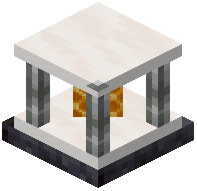 Protection Pylon if you also want to block damage or unwanted player interaction in the same area. For a full base defense, layer the expulsion field over your lighting and walls rather than relying on it alone, since mobs that spawn inside the radius before the field is active may still need to be cleared manually.