
How to Automate Crop Harvesting with the Harvester Pylon
Placing and Powering the Pylon
Place the 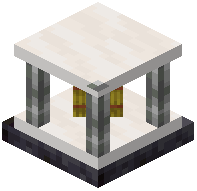 Harvester Pylon in the center of your farm, ideally on the same Y-level as your crops so its working area covers the field evenly. Once placed, it needs to be supplied with a redstone signal or configured to run continuously, depending on how you want the farm to behave. Check the pylon's interface to confirm its active radius and make sure the area it covers actually includes the crops you want harvested.
Filtering What Gets Harvested
This is where the  Block Filter and related filter items matter. Insert a filter into the pylon to control which blocks it interacts with. Without a filter, the pylon may try to harvest everything in range, including things you want to leave alone. Use a Block Filter to whitelist or blacklist specific crops or plants so only the intended ones are broken and collected.
Collecting the Drops
The Harvester Pylon breaks mature crops and the drops need somewhere to go. Route the output into an adjacent inventory, hopper, or pipe system so items do not pile up and stall the pylon. Test with a small plot first: plant one crop type, let it grow, and watch a full harvest cycle before scaling up. If nothing is harvested, recheck the radius, the filter settings, and whether the pylon is actually receiving power or a signal.