
Blocking Unwanted Players and Damage with Protection and Interdiction Pylons
Choosing the Right Pylon
These two pylons solve different problems. The 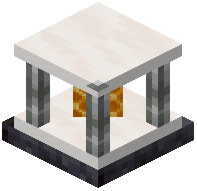 Protection Pylon is for preventing harm and unwanted actions within its area, while the
 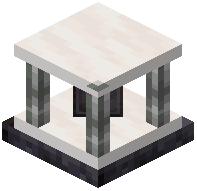 Interdiction Pylon is for restricting movement or access. Decide what you actually need: if the goal is to stop griefing or damage, start with Protection. If the goal is to keep players out of a region entirely, Interdiction is the tool. You can run both together for layered control.
Applying the  Player Filter
The Player Filter is what makes these pylons selective. Insert it and configure which players are affected so your own team or trusted members are not locked out or blocked. Without a filter, the pylon may treat everyone the same, which usually means you lock yourself out of your own area. Set the filter first, then test by walking through the zone yourself before inviting anyone else near it.
Testing the Boundaries
Walk the perimeter of the affected area to find the exact edge of the field, since the radius is not always obvious from the block's appearance. Check that the zone covers the entrances you care about but does not accidentally overlap a public path or a neighbor's build. Adjust the pylon's position rather than stacking multiple pylons unless you genuinely need a larger or irregular coverage area.