
Enable PBR Effects and Realistic Reflections
Install a Compatible Shaderpack
Prismic Patterned Depth includes built-in PBR material maps, but you need a shaderpack to see them in action. Popular options include BSL and Bliss, both of which fully support PBR rendering.
1. Download your chosen shaderpack
2. Place it in your shaderpacks folder (usually %appdata%/.minecraft/shaderpacks on Windows)
3. Launch Minecraft and open Video Settings
4. Select Shaders and choose your installed pack
5. Apply and restart if needed
Adjust Shader Settings for Best Results
Once your shaderpack is active, the geometric patterns on blocks will display with:
- Realistic depth mapping — surfaces appear textured and three-dimensional
- Light reflections —
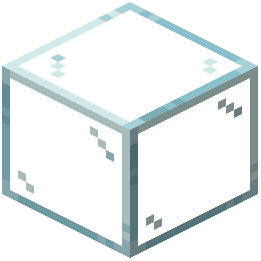 glass, water, and polished surfaces catch sunlight naturally
 - Material definition — different block types show appropriate surface properties
If reflections seem too subtle or too intense, check your shaderpack's settings menu. Most shaderpacks let you adjust PBR intensity, reflection strength, and normal map detail. Experiment with these sliders to match your preferred visual style while keeping the geometric patterns clearly visible.