
Building a 3D wooden house with realistic depth
Choosing your wood type
Start by selecting which wooden plank variant matches your aesthetic. The pack transforms all standard wood types—oak, birch, spruce, jungle, acacia, dark oak, crimson, and warped—into 3D models. Each type maintains its original color while gaining realistic depth and layering. Consider your landscape: 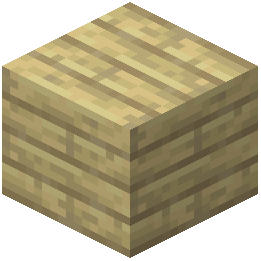 birch planks suit snowy or bright areas, while dark oak works well for shaded builds.
Constructing walls and floors
Place your chosen planks as you normally would. The 3D effect automatically applies, making walls appear thicker and more substantial than vanilla Minecraft. This depth works especially well for:
- Exterior walls: The layered texture creates convincing wood grain and shadow effects
- Interior flooring: Stacked planks show realistic board thickness
- Decorative accents: Mix plank types to highlight architectural features
Combining with other blocks
Remember that stairs, fences, doors, and fence gates remain unchanged for performance. Use these alongside your 3D planks to create complete wooden structures. The contrast between flat and 3D elements can actually enhance your build's visual interest rather than detract from it.