
Enable Glowing Textures for Better Night Visibility
What Glowing Textures Do
Glowing textures make specific blocks and items emit light in dark areas, helping you navigate caves and night environments more easily. Parts of blocks like lanterns, 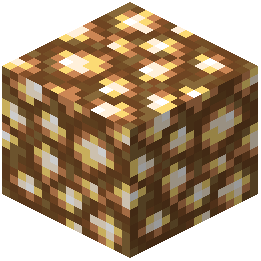 glowstone, and certain decorative elements will illuminate without requiring additional light sources.
How to Activate Glowing Textures
Glowing textures are typically enabled by default in Pixel Perfection Fidelity. If you don't see them:
1. Open your resource pack settings in the main menu
2. Locate Pixel Perfection Fidelity in your active packs list
3. Check for a "Glowing" or "Emissive" option toggle
4. Enable it if available, then reload your world
Best Places to See the Effect
Explore caves to see glowing mushrooms,  glow berries, and lava emit light. Visit the Nether to witness glowing fire and portal frames. In forests at night, watch for illuminated fireflies and enchanted vegetation. The effect works best in low-light conditions, so venture underground or play during night time for the most dramatic visual impact.