
Perfect Clear Glass Resource Pack Wiki › Guides › Troubleshoot Glass That Won't Connect
Troubleshoot Glass That Won't Connect
Verify Your Mod Setup
If 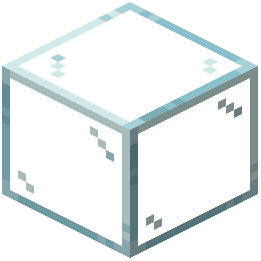 glass blocks aren't connecting:
- Confirm that Optifine or Continuity is installed and active
- Check that the Perfect Clear Glass Resource Pack is loaded in your resource pack list
- Restart Minecraft completely after adding or updating mods
- Ensure your Minecraft version is compatible with both the mod and resource pack
Check Connected Textures Settings
The feature may be disabled:
- Open your mod's settings menu
- Search for "Connected Textures" or "Continuity" options
- Toggle the setting on if it's currently disabled
- Save and return to your world
Verify Block Placement
Glass only connects when blocks are adjacent:
- Place glass blocks directly touching each other (no gaps)
- Ensure blocks are aligned in straight lines or grids
- Diagonal or floating glass blocks will not connect to others
- Only glass blocks of the same type connect (stained glass colors must match)
Reload Resources
If changes don't appear:
- Press F3 + T (or equivalent) to reload resource packs
- Exit and re-enter your world
- Check that no conflicting resource packs are active