
Perfect Clear Glass Resource Pack Wiki › Guides › Set Up Connected Glass Blocks
Set Up Connected Glass Blocks
Install a Compatible Mod
The Perfect Clear 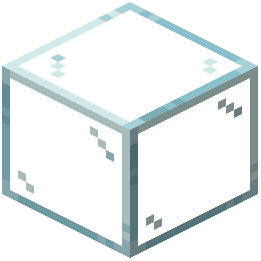 Glass Resource Pack requires either Optifine or Continuity to display connected textures. Without one of these mods, glass blocks will render individually without the seamless connection feature.
- Download and install Optifine (for performance optimization) or Continuity (lightweight alternative)
- Launch Minecraft with your chosen mod loaded
- Load the Perfect Clear Glass Resource Pack
Verify Connected Textures Are Enabled
Once installed, check your mod settings:
- Open the mod configuration menu in-game
- Look for "Connected Textures" or "Continuity" settings
- Ensure the option is toggled on
- Apply changes and restart if needed
Place Glass Blocks
Now place glass blocks adjacent to each other:
- When two or more glass blocks touch, they will automatically merge into one large transparent pane
- The internal borders disappear, creating a single seamless window
- This works with all glass types: clear, tinted, and stained glass variants
- Diagonal or non-adjacent blocks will not connect