

Getting Started with Your 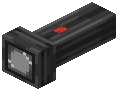 Flashlight
Equip your flashlight and press O to open the configuration menu. Hold Shift and scroll your mouse wheel to cycle through different beam modes—each offers a different focus width and spread pattern.
To customize your beam color, use the special crafting table to mix dyes with light bulbs, then install the colored bulb in your flashlight. The beam will refract realistically through transparent blocks like glass, creating dynamic lighting effects.
Use /flashlight commands to debug issues or set up creative lighting scenes. Your flashlight casts real shadows from blocks, mobs, and particles, making it ideal for exploring dark areas or building atmospheric lighting setups.