
Set Up Your First Woodcutter
Crafting the 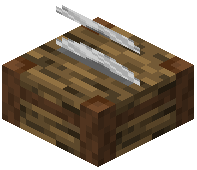 Woodcutter Block
The Woodcutter is your central wood-processing station. Craft it using the recipe provided in your mod's crafting menu—it requires basic materials like wood planks and stone.
Placement and Use
1. Place the Woodcutter block in your workshop or base
2. Right-click to open its interface
3. Insert a log (any wood type) into the input slot
4. The Woodcutter will automatically display all available recipes for that wood type
5. Click any recipe to convert your log into that output—planks, slabs, stairs, fences, doors, or other wooden components
Why Use It?
Unlike the crafting grid, the Woodcutter processes wood in a single dedicated interface without consuming inventory space. It's faster than manual crafting and keeps your inventory organized. Each wood type (oak, birch, spruce, etc.) produces its own variants, so you can easily switch between wood types by inserting a different log.