
Nemos Woodcutter Wiki › Guides › Automate Wood Processing with Hoppers
Automate Wood Processing with Hoppers
Setting Up Automation
The 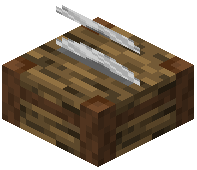 Woodcutter works with Minecraft's standard hopper system, letting you automate wood processing.
Basic Hopper Setup
1. Place a hopper above the Woodcutter's input slot
2. Connect the hopper to a chest or log farm output
3. Logs will automatically feed into the Woodcutter
4. Place a hopper below the Woodcutter to collect outputs
5. Route the output hopper to a storage chest
Limitations
Note that the Woodcutter requires player interaction to select which recipe to craft—hoppers can only supply inputs and collect outputs. You'll still need to click the Woodcutter interface to choose what wooden component to produce. This semi-automation keeps your processing intentional while reducing manual log insertion.