
Music Disc Maker Wiki › Guides › Create Your First Custom Music Disc
Create Your First Custom Music Disc
Gather Materials and Craft the Machine
You'll need lapis lazuli and iron to craft both the 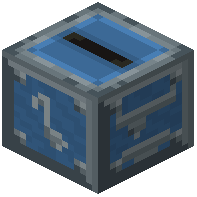 Music Disc Maker block and Blank Discs. Gather these from mining or your storage. Craft the Music Disc Maker block and place it in your base.
Load and Convert Your Track
Open the Music Disc Maker's menu. You can paste links from YouTube, Spotify, SoundCloud, Bandcamp, or direct audio file URLs into the text box. Place a  Blank Disc into the input slot. The machine will process the audio and create your
  custom music disc.
Play Your Disc
Once complete, take the finished Custom Music Disc and place it into any jukebox or 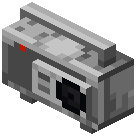 Boombox. The disc will display the song title, artist name, track length, and cover art in its tooltip. You can now enjoy your custom track anywhere in your world.