

What's Different in Luna HD 64x
Luna HD 64x replaces flat vanilla textures with realistic, detailed versions. Many blocks now have 3D geometry—they're no longer simple flat surfaces. This affects how blocks look from all angles and how they interact with light and shadow.
Where to Look First
1. Underground areas: Mine  stone,
 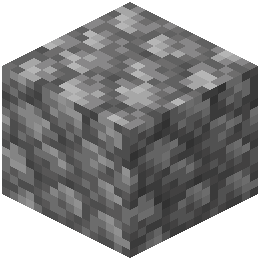 cobblestone, and ores to see how 3D models add depth. Cobblestone now has realistic weathering and texture variation.
2. Amethyst geodes: Purple amethyst blocks showcase detailed crystalline structures that catch light beautifully.
3. Water features: Flowing water and still water have improved visuals that work especially well with shader reflections.
4. Wood and building blocks: Wooden planks, logs, and crates display grain detail and realistic surfaces.
5. Magma blocks: These glow with realistic intensity, especially striking in dark caves.
Comparison Tip
Toggle the resource pack on and off in your resource packs menu to see the difference side-by-side. Pay attention to how shadows fall on 3D block surfaces—this is where shaders make the biggest visual impact.