
Luminous Drafting Grid Wiki › Guides › Getting Started with Monitors and Displays
Getting Started with Monitors and Displays
Placing Your First Monitor
Monitors are transparent screens that render live data directly into the world without cluttering your HUD. Place any monitor variant—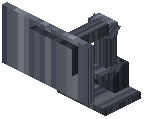 Glass Monitor, Signage, Wall Panel, or larger displays—and it will automatically detect nearby storage, furnaces, weather, time, and hostile mobs within range.
Monitors only scan for inventory data when actively displaying it, keeping server load minimal. For a wider display, place two monitors side by side to link them into one continuous screen.
Choose your monitor type based on space: compact Signage for hallways, Wall Panels flush against surfaces, or Large Displays for command centers. Each renders vector lines in real time, so readouts update instantly as conditions change.