
Set Up a Gaming Room with PC Blocks
Planning Your Layout
Decide on a room size and theme before placing blocks. Consider whether you want a single workstation, a full gaming setup with multiple PCs, or a themed room (Canada or Christmas-themed). Sketch out where your 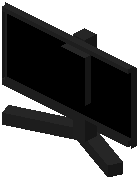 monitor,
  keyboard, mouse, and headset will go.
Placing Your PC Setup
1. Choose a PC variant from your inventory—the mod offers 8 different PC models
2. Place the PC block as your centerpiece
3. Position a monitor in front of or beside the PC
4. Add a  keyboard and mouse on a desk surface in front of the monitor
5. Place an 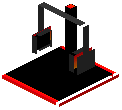 RGB headset stand nearby for authenticity
6. Arrange  RGB strip lights along shelves or walls to enhance the aesthetic
Adding Extra Details
Use paintings and YouTube play buttons to decorate walls and add personality. RGB keyboards and mice come in different styles—mix and match to create visual interest. Layer multiple themed items if you're going for a specific seasonal or regional look. Remember these blocks are purely decorative, so arrange them however looks best to you.