
Create a Themed Gaming Setup
Choosing Your Theme
The mod includes Canada and Christmas-themed items alongside standard PC peripherals. Decide which theme fits your world aesthetic. Christmas-themed setups work well in winter-decorated rooms, while Canada-themed items suit lodge or cabin-style builds.
Building with Themed Blocks
1. Select themed PC variants and peripherals from your inventory
2. Place the PC and 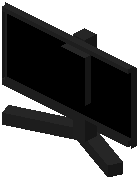 monitor as your focal point
3. Surround them with matching themed decorations
4. Use  RGB strip lights in colors that complement your theme (cool blues for Christmas, warm tones for Canada)
5. Add paintings that match the seasonal or regional style
6. Place YouTube play buttons on walls to suggest content creation
Finishing Touches
Consider the room's overall color palette and building materials. Use wood, stone, or other blocks that harmonize with your theme. Layer decorative elements at different heights to create depth. Themed setups are most impactful when all visible elements reinforce the same aesthetic, so keep your PC peripherals and surrounding décor cohesive.