

 DownloadNatural Texture Pack Resource Pack
Get the files on 9Minecraft
Create a Side-by-Side Test World
To clearly see how the Natural Texture Pack changes specific blocks:
1. Create a new Creative mode world
2. Build a small structure using the blocks you want to compare (wood planks,  stone,
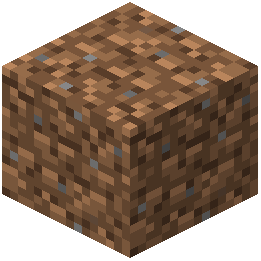 dirt, ores, etc.)
3. Take a screenshot with the Natural Texture Pack active
4. Disable the resource pack in Options → Resource Packs (move it to inactive)
5. Reload the world and take another screenshot from the same angle
Examine Key Differences
Look closely at:
- Color warmth: Notice how the Natural Pack uses softer, earthier hues compared to vanilla's brighter tones
- Line softness: The pack reduces harsh edges and grid patterns on block surfaces
- Ore visibility: Underground ores have revised colors that blend better with stone
- Wood grain: Wooden planks show more texture detail and natural variation
 Grass and foliage: These blocks appear gentler and less saturated
This comparison helps you decide if the aesthetic matches your building style and whether specific blocks suit your creative vision.