
How to Activate the Ancient City Portal and Set Your Spawn
Getting into the World of Silence dimension requires restoring the large portal structure found inside vanilla Ancient Cities. Because the dimension is hostile, securing a way to respawn there is your first priority after crossing over.
Activating the Gateway
1. Travel deep underground in the Overworld until you find a Deep Dark biome and locate an Ancient City.
2. Head to the center of the city where the large rectangular frame stands.
3. Clean the portal frame by removing any obstructing blocks or growths attached to the inner ring.
4. Ignite the frame to light the gateway and open the passage into the dark realm.
5. Step through the activated portal to load into the dimension.
Setting a Dimension Spawn Point
Beds do not function as a safe respawn method in custom dimensions. Instead, you must use the mod's dedicated anchor block so you do not get sent back to the Overworld upon death.
1. Obtain or craft a 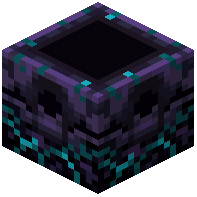 Sculk Respawn Anchor and place it in a secure shelter near the portal.
2. Gather sculk blocks from the surrounding terrain (use a Silk Touch hoe if gathering vanilla sculk blocks).
3. Hold the sculk in your hand and right-click the Sculk Respawn Anchor to charge it.
4. Right-click the charged anchor once more with an empty hand to bind your spawn point to that location.