

 DownloadTelePads Mod
Get the files on 9Minecraft
Contents (5)
Teleportation Process
To teleport, a player must stand in the center of a 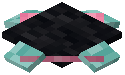 TelePad. After a short delay (visualized by particles and sound), a menu opens showing a list of all available destinations. Selecting a destination instantly transports the player to the corresponding pad.
Naming and Identification
Every pad must have a unique name. If you place a pad and do not name it, it may default to the coordinates of the block. Names can be changed later using specific tools or by re-placing the block.
Dimensional Travel
Without a  Transmitter Upgrade, pads in the Nether will only see other pads in the Nether. Once a Transmitter is applied, the menu will populate with every pad the player has registered across all dimensions.
Sharing TelePads
In multiplayer environments, TelePads can be  configured for different access levels:
- Private: Only the owner (the player who placed it) can see and use the pad
- Public: Any player who finds the pad can add it to their registry and use it
- Friend Sharing: On some versions, pads can be shared specifically with players on a whitelist or team


