
How to Remove and Save Enchantments Using the Unenchanting Table
When you find enchanted gear with a durability bar that is nearly empty, or loot items with enchantments you would rather put on your main tools, you can use the 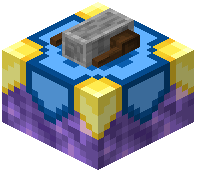 Unenchanting Table to pull those enchantments off instead of losing them at a grindstone.
Required Materials
Before interacting with the workstation, gather the following items in your inventory:
- The enchanted tool, weapon, or armor piece you want to strip.
- A Writable Book to receive the extracted enchantment.
- Lapis Blocks (full blocks of lapis lazuli, not individual pieces).
- Enough player XP levels to pay the extraction cost.
Extracting the Enchantment
1. Locate an Unenchanting Table in a village (often found near a Wizard villager) or place one down yourself.
2. Right-click the Unenchanting Table to open its interface.
3. Place your used enchanted gear, the Writable Book, and the Lapis Blocks into the appropriate input slots.
4. Check that your character has the required XP levels available.
5. Take the newly enchanted book from the output slot.
Once you have the enchantment stored safely on a book, you can take it to a vanilla Anvil to apply it to a fresh diamond or netherite item. Note that the Unenchanting Table also acts as a job site block—placing an unclaimed one near an unemployed villager will turn them into a Wizard, who can trade you Nether materials and magical items.