DownloadRefined Storage Quartz Arsenal
Get the files on 9Minecraft
Opening and Navigating
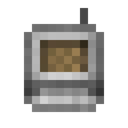
1. Hold or equip your bound  Wireless Crafting Grid.
2. Right-click (or use your mod's configured key) to open the grid interface.
3. Verify the grid shows "Connected" or displays your network's storage contents. If offline, check your Wireless Transmitter is active and in range.
Crafting Workflow
1. Search or browse your storage to find the item you want to craft.
2. Click the item to view its crafting recipe (if one exists in your network).
3. Enter the quantity you wish to craft.
4. Confirm the craft. The grid will pull materials from your network storage and execute the recipe.
5. Collect the result from your inventory or the grid's output slot.
Energy Considerations
Each action—opening the grid, inserting items, extracting results, and crafting—consumes energy from your Refined Storage network. If crafting fails or the grid goes offline mid-operation, check your network's power level. Ensure your power generation keeps pace with your wireless usage.