

 DownloadPressurized Logic Grids
Get the files on 9Minecraft
Contents (4)
Crafting the Wireless Amadron Terminal
Craft a Wireless Amadron Terminal to access Amadron trades from anywhere in your base. This terminal connects to your ME Network and displays available trades—both vanilla Amadron offers and custom trades you've configured.
Building the 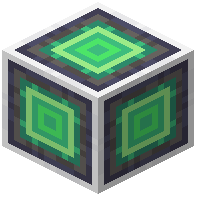 Amadron Processing Station
Place an Amadron Processing Station connected to your ME Network. This block handles the actual drone deliveries and trade execution. Link it to your ME system so it can pull payment items and deposit received goods directly into your network storage.
Configuring Trades
Use the Wireless Amadron Terminal to browse available trades. Select items you want to buy or sell. The processing station will queue drone deliveries automatically. Ensure your ME Network has sufficient items in stock and enough energy to complete transactions.
Extended Trading
If using ExtendedAE, unlock the upgraded processing station for enhanced trade capabilities and faster drone dispatch. Monitor your drone traffic to avoid bottlenecks—space out large orders if needed.